How to Create Stunning AI Music Videos | Step-by-Step Tutorial
Creating AI-generated music videos has never been easier! Whether you’re into electro, trance, or festival-inspired visuals, AI tools allow you to generate mesmerizing animations, stunning AI characters, and dynamic video effects effortlessly. In this step-by-step tutorial, we’ll walk you through the process of crafting professional-quality AI music videos using ChatGPT, SunoAI, Midjourney, CGDreams, KlingAI, and CapCut.
From generating AI-driven music to creating beautiful AI girls and breathtaking festival-style animations, this guide will empower you to craft a truly unique visual masterpiece. Ready to dive into the future of music video creation? Let’s get started! 🚀
How To Create VIRAL AI Music Videos Like Burning Dust – Step By Step Tutorial
Tools You’ll Need
Here’s a list of AI tools you’ll be using to generate music, animations, and video effects:
✅ ChatGPT – Generate creative prompts for visuals and video concepts.
✅ SunoAI – Create AI-generated electro and trance music.
✅ Midjourney & CGDreams – Generate beautiful AI girls and breathtaking festival visuals.
✅ KlingAI – Bring still images to life with dynamic AI animations.
✅ CapCut & Canva – Edit and refine your AI-generated video.
Other Useful Tools:
🔹 ElevenLabs – AI voice generation.
🔹 VidIQ – Grow your YouTube channel with AI insights.
🔹 Canva – Design eye-catching thumbnails.
🚀 Step-by-Step Guide to Creating an AI Music Video
🎵 Step 1: Generate Your AI Music with SunoAI
Your video needs amazing music, and SunoAI is a top-tier AI tool for generating electronic beats, trance music, and cinematic soundscapes.
✅ Go to SunoAI and create a new track.
✅ Choose your music style (electro, trance, festival vibes).
✅ Let the AI generate the track based on your genre and mood preferences.
✅ Download the final composition for your video.
💡 Pro Tip: If you want lyrics, ChatGPT can help you craft unique lyrics for the AI-generated song.
🎨 Step 2: Generate AI Visuals Using Midjourney & CGDreams
Next, create breathtaking AI-generated visuals for your music video.
✅ Use ChatGPT to generate descriptive prompts for Midjourney.
✅ Open Midjourney or CGDreams and input your prompt.
✅ Select high-quality AI-generated characters, festival visuals, or cyberpunk backgrounds.
✅ Download the images in high resolution.
💡 Best Prompts for AI Music Videos:
🎥 Step 3: Animate AI Images Using KlingAI
Now, bring your static images to life with KlingAI’s animation capabilities.
✅ Upload your Midjourney or CGDreams-generated images.
✅ Select animation settings like subtle movement, lip-sync (if applicable), or dynamic effects.
✅ Generate and download the animated sequences.
💡 Pro Tip: Sync animations with the beat of the music for a more immersive experience.
🎬 Step 4: Edit Your AI Music Video in CapCut
Now, it’s time to assemble everything into a stunning music video using CapCut.
✅ Import your AI-generated animations into CapCut.
✅ Add your SunoAI-generated music track.
✅ Use CapCut’s built-in beat sync tool to align animations with the rhythm of your song.
✅ Enhance your video with glitch effects, transitions, and lighting adjustments.
✅ Add text overlays, like the song title, artist name, and social media handles.
💡 Pro Tip: If you want to create a loopable version for Instagram Reels or YouTube Shorts, use CapCut’s auto-loop feature.
🔥 Step 5: Export & Share Your AI Music Video
Once your video is complete:
✅ Export it in high resolution (1080p or 4K for the best quality).
✅ Upload it to YouTube, TikTok, and Instagram Reels to gain traction.
✅ Optimize your title, description, and tags for better reach (use VidIQ for insights).
✅ Engage with your audience by responding to comments and promoting your video on social media.
💡 Pro Tip: Add hashtags like #AIMusicVideo, #AIArt, #AIAnimations to increase visibility.
✨ Example AI Music Video Concepts
Need some inspiration? Here are some cool AI music video themes:
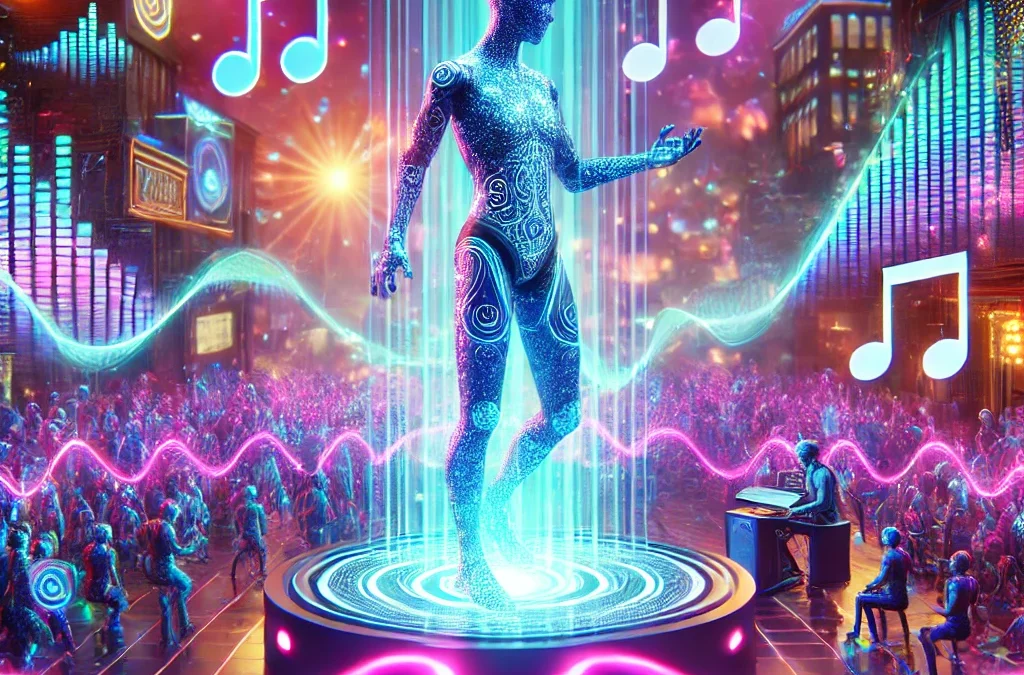
🎆 Cyberpunk Festival Vibes – Neon lights, glitch art, futuristic AI avatars.
🌌 Cosmic Dreamscape – Deep space visuals, animated galaxies, astral projections.
🔥 Burning Man-Inspired Visuals – AI-generated desert landscapes, dancers, and psychedelic effects.
👽 AI-Driven Sci-Fi World – Hyperrealistic AI characters, holograms, digital cities.
🎯 Summary: Bringing Your AI Music Video to Life
By combining AI-generated music, visuals, and animations, you can create stunning music videos that rival professional productions. The key is to use the right AI tools, synchronize visuals with the beat, and enhance the cinematic feel with editing software.
🚀 Final Checklist:
✅ Music: AI-generated with SunoAI
✅ Visuals: Created using Midjourney or CGDreams
✅ Animations: Enhanced with KlingAI
✅ Editing & Effects: Assembled in CapCut
✅ Sharing & Optimization: Promoted on YouTube, TikTok, and Instagram
📌 Additional Resources & Tools
💡 Support My Content ❤️ – Buy Me A Coffee
🎥 Grow Your YouTube Channel – VidIQ
🔗 Tools Used in This Tutorial:
- ChatGPT: https://chatgpt.com
- SunoAI: https://suno.com/invite/@darkukulelep
- Midjourney: https://www.midjourney.com
- CGDreams: https://cgdream.ai
- KlingAI: https://klingai.com
- CapCut: https://capcutaffiliateprogram.pxf.io
👍 Like, Comment & Subscribe!
🔥 Want more AI-powered creative tutorials?
Don’t forget to like, comment, and subscribe for more cutting-edge AI music and video guides. Let us know in the comments what AI-generated video styles you’d love to explore next! 🚀🎶
#AI #AIMusicVideo #TranceMusic #AIAnimation #Midjourney #SunoAI #KlingAI #ChatGPT #CapCut #AIVisuals